
 Home
HomeElectronic Weighing Scale Settings: A Complete Guide to Configuration and Calibration
 Sep 18,2026
 Unique Scales
Introduction
The settings of the electronic weighing scale control the way the scale measures, processes, displays and responds to weight. They can be classified as user interface settings, measurement parameters, factory calibration parameters and firmware configuration.
For importers, distributors and private label manufacturers, these are not simple user interface options. They may affect the accuracy of measurement, battery life, user experience, after-sales service and whether they meet market demands. This guide will introduce the key electronic weighing scale settings , including the impact of each setting on the overall performance of the machine, and list the configuration options that buyers should confirm with the manufacturer before large-scale production.
What Are Electronic Weighing Scale Settings?
The settings of the weighing scale determine how the scale measures, processes, displays and responds to weight.
What Do Weighing Scale Settings Control?
|
|
|
|
|
|
|
|
|
|
|
|
|
|
|
|
|
|
|
|
|
|
|
|
|
|
|
|
|
|
|
|
|
|
|
|
|
|
|
|
|
|
|
|
Are All Electronic Weighing Scale Settings User-Adjustable?
Not all the settings of electronic scales are accessible to ordinary users. Some parameters can be modified by users during daily use, while others are controlled by the manufacturer, calibration process, firmware or OEM customization schemes.
- User settings
- Factory settings
- Calibration parameters
- Firmware parameters
- OEM configuration
The adjustable range depends on the hardware, firmware and product architecture of the smart scale. For OEM customization projects, the settings configuration can usually be completed before mass production.
Key Electronic Weighing Scale Settings Explained
The key settings of an electronic weighing scale affect how weight is detected, processed, displayed, and measured. The available settings depend on the scale's hardware, firmware, and intended use.
1. Weight Unit Settings
Common weighing units include:
- kg
- lb
- st
- g / oz
- Default unit
- Switchable unit
After the weight scale is powered on, it will display the default unit. Users can manually switch to other units.
For B2B orders, the appropriate default unit should be selected based on the target market. This will affect the product interface, packaging, instructions, and after-sales assistance.
Also, before large-scale production, the manufacturer can set the default unit in advance through firmware.
2. Calibration Settings
Calibration compares the scale's readings with known reference values.
Common methods include zero-point and span calibration, usually performed with standard weights.
For B2B orders, buyers should confirm whether each production batch is calibrated and how calibration consistency is verified across the batch.
3. Zero and Tare Settings
Zero Point: When there is nothing placed on the scale, set the starting point of weighing to 0.
Tare: Remove the weight of the existing container or existing objects, and only display the net weight of the items inside.
These two functions are different:
Zero Point ≠ Tare ≠ Calibration ≠ Restore Factory Settings
4. Understanding Accuracy, Capacity and Resolution
These parameter specifications respectively represent different indicators of the weighing performance.
|
|
|
|
|
|
|
|
|
|
|
|
|
|
|
High resolution does not mean more accurate weighing. Capacity and resolution are two independent specifications and should be evaluated together.
5. Auto-On Settings
The automatic startup function means that the scale will automatically start when it detects a load.
This function is affected by the following factors:
- Load detection
- Startup threshold
- Sensor response
- Stable weight recognition
- Firmware version
6. Auto-Off and Sleep Settings
Automatic shutdown refers to the setting of automatic power-off when the scale is idle for a certain period of time.
Sleep mode refers to reducing power consumption when the scale is not in use.
If the automatic shutdown time is set short, it can save more electricity. However, frequent shutdowns during repeated weighing operations will cause inconvenience in use.
7. Display Settings
Display settings control how information is shown on the scale screen. Available options may include:
- LCD, LED, TFT, VA display screens
- Decimal places
- Backlight
- Brightness and contrast
- Unit display
- Error codes
A regular weighing scale only shows clear weight readings, while smart weighing scale or body composition scale may display 25-57 body data indicators.
8. Overload Detection Settings
Overload detection is used to detect whether the applied load exceeds the configured limit.
It includes the following contents:
- Overload threshold
- Overload warning
- Sensor protection
- Mechanical structure protection
- Firmware-level protection
When the weight exceeds the rated maximum value, the scale may display an error or warning instead of a normal weight reading.
Overload protection and the maximum weighing range are different concepts.
9. Stability Detection and Digital Filtering
The weighing process is as follows:
Raw sensor signal → Digital filtering → Stability detection → Displayed weight.
Filtering reduces signal fluctuations.
Stronger filtering can make the reading more stable, but it can also slow the scale's response.
10. Bluetooth, Wi-Fi and App Settings
Connectivity features may include:
- Bluetooth pairing
- Wi-Fi connection
- Data synchronization to the APP
- User profile
- Measurement data and recording
- Firmware update and upgrade
These are connectivity settings rather than core weighing parameters. The former controls how data is transferred to an app or other platform, while the latter controls how weight is measured and displayed.
How Do Electronic Weighing Scale Settings Affect Performance?
Electronic weighing scale settings affect more than the displayed weight. They can also affect response speed, reading stability, battery life, and market configuration.
|
|
|
|
|
|
|
|
|
|
|
|
|
|
|
|
|
|
|
|
|
|
|
|
|
|
|
These settings can also affect each other. For example, stronger filtering can make the reading more stable, but it can also slow the scale's response.
For B2B buyers, correct parameter configuration can reduce users' confusion, lower complaints, returns, and service costs.
Electronic Weighing Scale Settings for Different Markets
Electronic weighing scale configurations may need to be adjusted for different target markets. The weight unit is only one part of the configuration.
Common market configurations may include:
US Market
- lb as the default unit
- kg/lb switching
- English interface
- Market-specific packaging and manuals
- Applicable compliance requirements
European Market
- kg as the default unit
- Multilingual materials
- Market-specific packaging and manuals
- Applicable compliance requirements
UK Market
- kg/lb options
- Market-specific labels and manuals
- Firmware and product configuration for the target market
Market configuration involves more than changing the weight unit. It may also include firmware defaults, display language, packaging, manuals, product labels, connectivity, and applicable compliance requirements.
FAQ
1.Can Electronic Weighing Scale Settings Be Customized?
Yes. The factory supports OEM/ODM customization for scale settings and product functions. Settings customization can be part of a broader OEM/ODM product configuration.
- Hardware: Scale platform, casing, display screen, electrodes, buttons, battery;
- Firmware: Equipment parameters, automatic power-on/off, display content, error prompts, calibration;
- Software: Bluetooth, Wi-Fi, application program, SDK/API;
- Brand logo: logo, color, packaging, manual, product label;
Whether customization is possible depends on the specific model and product plan. Before mass production, please confirm your required configuration with the manufacturer.
2.What Are the Factory Default Settings on an Electronic Weighing Scale?
The factory default settings refer to the parameters preset by the factory before the scale is shipped. These include the default weight unit, automatic power-on and power-off rules, display parameters, and other basic functions.
For OEM project orders, before the mass production of the goods, some of the factory default settings can be configured according to the requirements of the target market.
3.Does an Electronic Weighing Scale Save Settings After Power-Off?
This depends on the design of the smart scale. Some parameter settings will be stored in the device and will continue to be saved even after power loss; but temporary settings will be reset when the scale is turned off.
For OEM/ODM orders, manufacturers can set: which settings will be saved when power is lost, and which will revert to the factory default state upon power restoration.
4.Can Electronic Weighing Scale Settings Be Locked to Prevent Accidental Changes?
Yes, but it depends on the specific model. Some scales can lock the factory-set parameters and calibration settings to avoid incorrect operations during daily use.
For OEM/ODM projects, the factory can configure access permissions based on the product requirements.
5.Can a Firmware Update Change Electronic Weighing Scale Settings?
Yes. A firmware update may change or add parameters such as display settings, auto-on/off, filtering, or error messages.
However, not every firmware update will change the settings. It depends on the firmware version and product architecture. For OEM/ODM projects, the factory can confirm which parameter settings will be affected before releasing the update.
6.Why Do Some Electronic Weighing Scale Settings Require Manufacturer Access?
Some parameters directly affect measurement accuracy, sensor operation, and machine performance. It is not recommended for users to make these changes on a daily basis. Such parameters include calibration parameters, sensor settings and underlying firmware settings.
Having these settings controlled by the factory can prevent them from being altered randomly and help keep the scale operating within its designed parameters. You can have the factory adjust these parameters and complete the testing before mass production.
Conclusion
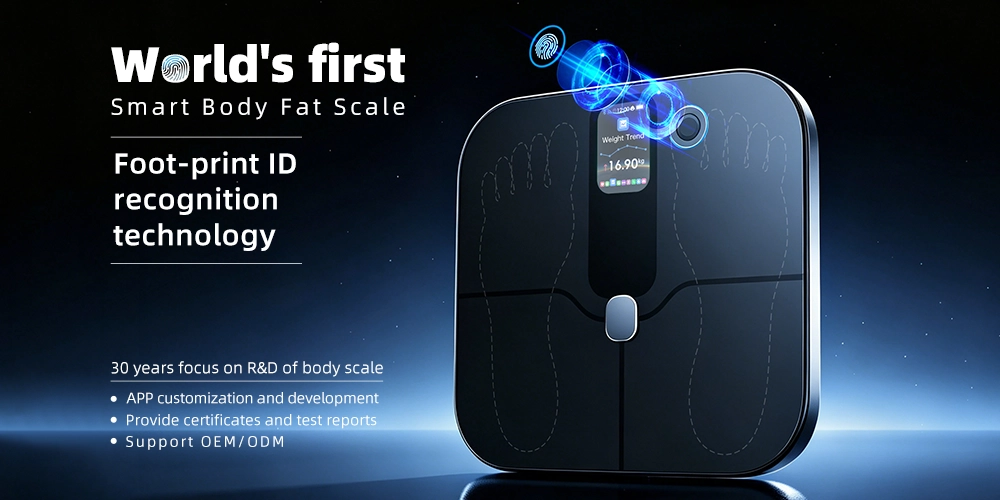
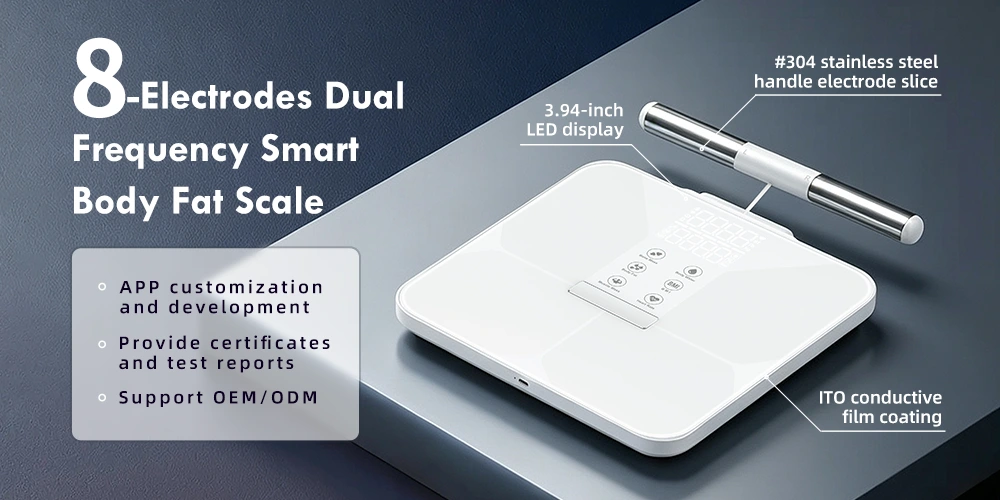
Unique Scales is a smart weighing scale factory with over 30 years of custom development experience, specializing in intelligent body fat scales and body composition analysis solutions. The products include smart scales, body fat scales, fingerprint scales, solar-powered scales, and bioimpedance scales. They are mainly used for home daily health management, global gyms, as well as various brands such as independent websites, Shopify, and Amazon.
Before mass production of smart scales, you must confirm with the manufacturer the key settings, calibration requirements, firmware configuration, connection methods, and custom projects. Appropriate parameter configuration can enhance the stability of product functions, reduce after-sales issues, and also meet your market demands.
If you want to customize electronic body fat scales, please contact us to communicate with us about the required parameter settings, specifications, and OEM/ODM cooperation plans.